
PRIVATE CONTROL ROOM FOR CODING AGENTS

Your agents.
Your machines.
Your tailnet.

Wolfpack is a self-hosted control room for persistent coding-agent terminals on your own machines. Keep long-running sessions within reach from your laptop, workstation, or phone.

wolfpack / sessions LIVE
● tailnet connected 3 machines
01 / MOBILE CONTROL

The control room
in your pocket.

Wolfpack turns each coding-agent session into a simple two-step loop: see what needs you, then jump straight into its live terminal.

  1. 1
    Scan the dashboardCheck every machine and session at a glance.
  2. 2
    Open the live terminalRead output, send input, and keep the agent moving.
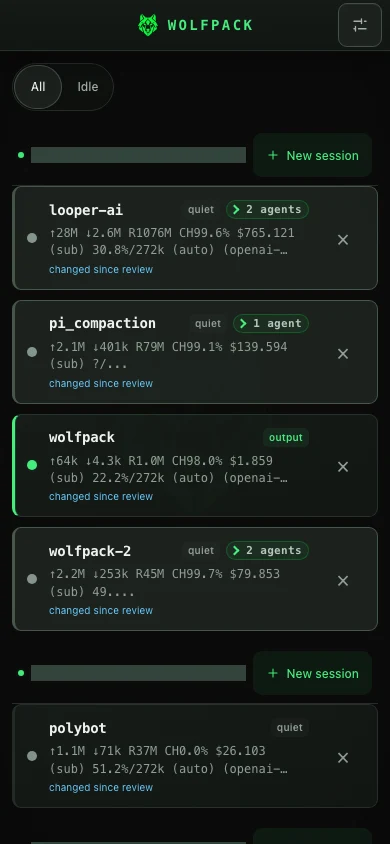
Wolfpack mobile dashboard listing agent sessions and their status
01 SESSIONS
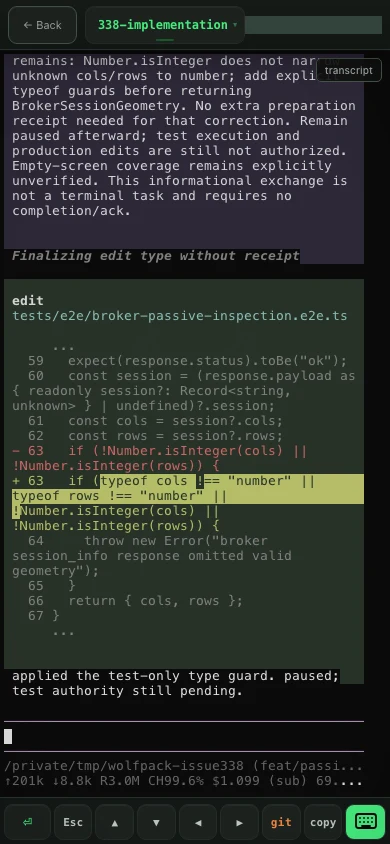
Wolfpack mobile live terminal with coding-agent output and touch controls
02 LIVE TERMINAL
BUILT FOR THE MOMENT BETWEEN MACHINES
NO ACCOUNT · NO HOSTED RELAY · MIT LICENSE
INSTALL ON YOUR MACHINE

Install Wolfpack.

Install leads into guided setup, which prints a local URL usable without Tailscale. Only after Tailscale sign-in and tailscale serve are verified does setup also print a private Tailnet HTTPS URL and QR code.

PERSISTENT CLI

Install once, run anywhere

Downloads verified native binaries, adds a stable command when possible, then opens setup.

curl -fsSL https://raw.githubusercontent.com/almogdepaz/wolfpack/main/install.sh | bash

Verify after setup: wolfpack doctor
NO PATH CHANGE / BUN

Run with Bunx

Use the latest package without installing a persistent global command.

bunx --bun wolfpack-bridge@latest

Verify: bunx --bun wolfpack-bridge@latest doctor

NO PATH CHANGE / NPM

Run with npm

Use the latest package without installing a persistent global command. Requires Node.js 22 or later.

npx --yes wolfpack-bridge@latest

Verify: npx --yes wolfpack-bridge@latest doctor

Bunx and npm make no persistent PATH change.

What the installer changes

The native installer downloads matching Wolfpack server and broker binaries from the latest GitHub release and verifies them with checksums-sha256.txt.

It installs the managed binaries under ~/.wolfpack/bin, attempts a best-effort /usr/local/bin/wolfpack symlink, then opens setup.

During setup, you choose the projects directory, port, optional Tailscale remote access, optional Pi integration when Pi is detected, and whether Wolfpack starts at login.

The package-runner options directly run the matching platform pair but make no persistent PATH change.

02 / THE WORKFLOW

Start here.
Finish anywhere.

Wolfpack is the missing control layer between your agents and the machines they run on.

01
⌘

Run it where the work is

Install beside your existing tools. Your projects, credentials, terminals, and agents stay on your machine.

02
↔

Connect over your tailnet

Tailscale gives your machines a private route. No Wolfpack account. No Wolfpack-hosted relay or prompt upload service.

03
◉

Take the session with you

Open the PWA from another machine or your phone. Read output, send input, and keep the loop moving.

your phonelaptopworkstationW
03 / YOUR INFRASTRUCTURE

Private by
construction.

Wolfpack is self-hosted software for machines you control. Remote access normally travels through your Tailscale network—not through us.

  • Direct connectionsUse your tailnet as the trust boundary.
  • Persistent PTY sessionsKeep agents alive through tabs, drops, and context switches.
  • Auditable surfaceOpen source, local config, explicit service lifecycle.
Read the security model ↗
04 / THE CONTROL ROOM

Less SSH juggling.
More momentum.

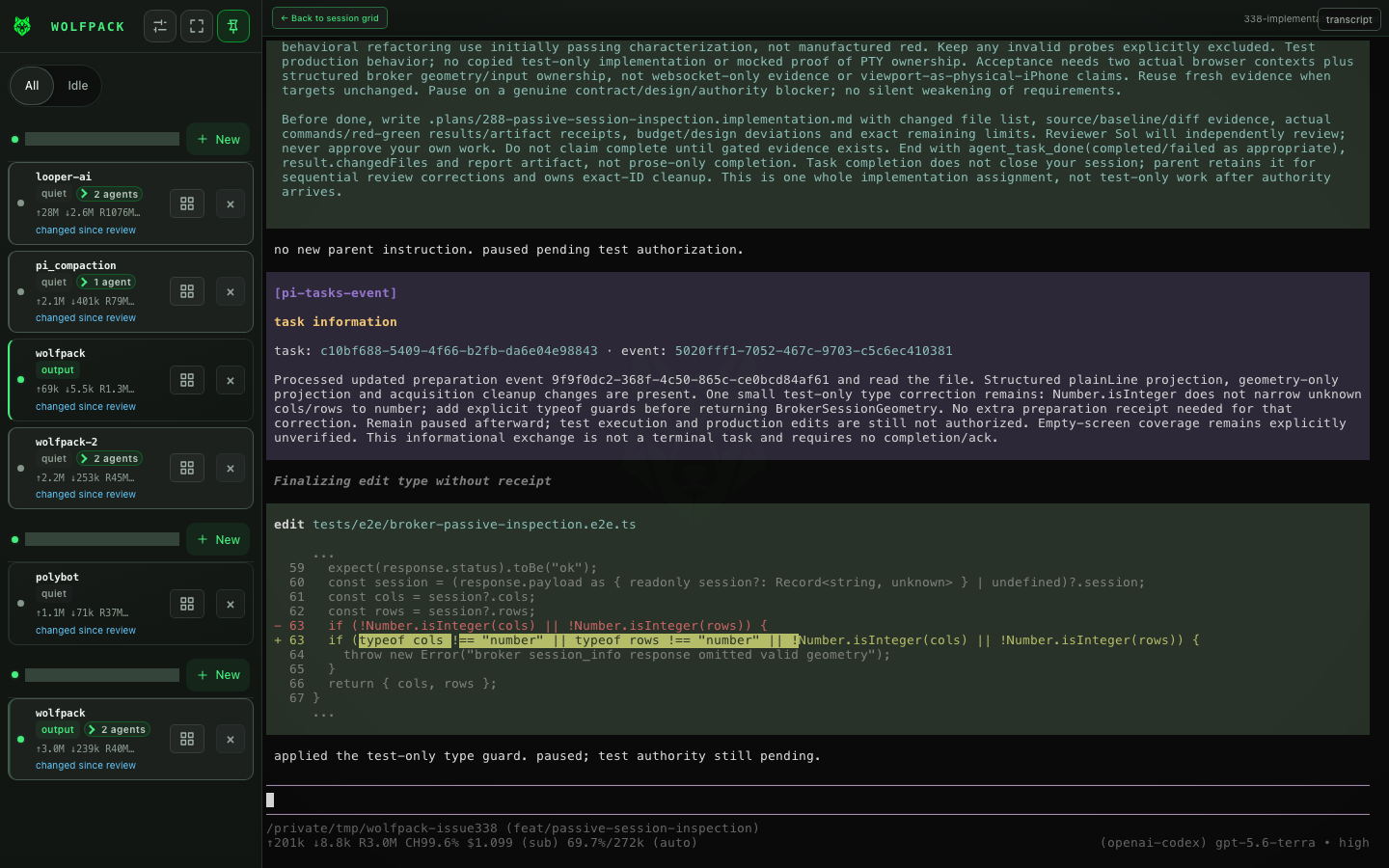
See every session, project, and machine at a glance. Jump into the terminal when the agent needs you.

Wolfpack terminal view with a persistent agent session
LIVE TERMINAL / MACHINE: DEV-01
READY FOR YOUR STACK

Bring the agents
you already use.

Claude CodeCodexGemini CLICursorPi

Shell is the always-available fallback. Custom commands and wrappers on PATH are supported separately.

THE FIRST REMOTE SESSION

Put the pack
to work.

Start local-only or connect through your tailnet, then reopen the same persistent session wherever you need it.